Your Xray-core
client.
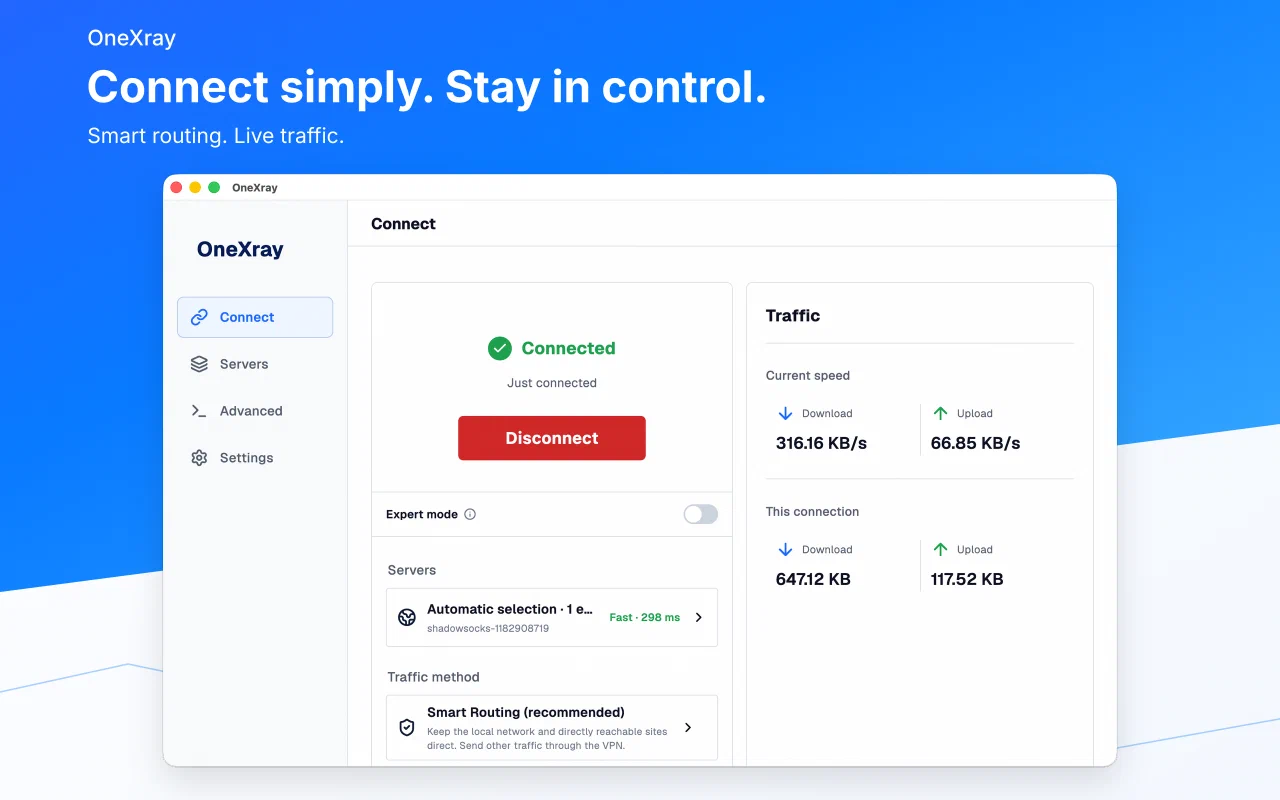
OneXray is an open-source client for iOS, macOS, Android, Windows and Linux. Bring your servers, start with Smart Routing, or import your own routing and Raw JSON.
Compare proxy protocols and transports
Have a VLESS, VMessAEAD, Trojan, Shadowsocks or SOCKS server? Check supported server configurations and choose your installation. OneXray does not supply servers or subscriptions.
Describe your goal. Import the result.
Keep everyday connections simple with Smart Routing. For a custom setup, give your chosen AI assistant the complete OneXray guide: it can prepare server JSON, reusable routing or a full Raw configuration, and explain the remaining VPN Tunnel settings.
Start with an AI prompt · Read the complete guide · Browse configuration recipes
Your assistant runs outside OneXray. The website does not receive your configurations; share server credentials only with a service you trust.
What’s new in 26.9.3: configuration backup, advanced routing JSON, and FakeDNS →
Simple to start. Room to go deeper.
No separate profile to understand before you connect. Choose servers, then choose what should go through them.
Smart Routing
Direct regions and services with your own local DNS. Optional ad blocking, 1–3 entry servers, and a final exit for chained connections.
Your own rules
Build domain, IP, port, and network rules with GeoData suggestions. Share a route without tying it to particular servers.
Complete Raw JSON
Switch to expert mode for a full configuration editor. OneXray keeps control of the platform tunnel and related runtime settings.
Servers, organized
Browse by subscription or location and compare delay and protocols. HTTPS subscriptions support optional age encryption and per-subscription HWID.
Fits your platform
Apple route exclusions, Android per-app VPN, and Windows/Linux interfaces. Start and switch with mobile shortcuts or desktop tray menus.
Useful local tools
See current-connection traffic, test nodes, update routing data, and inspect the generated configuration and supported local logs.
One experience, across your devices.
Real running screens: Connect, Servers, Smart Routing, and Custom Routing.
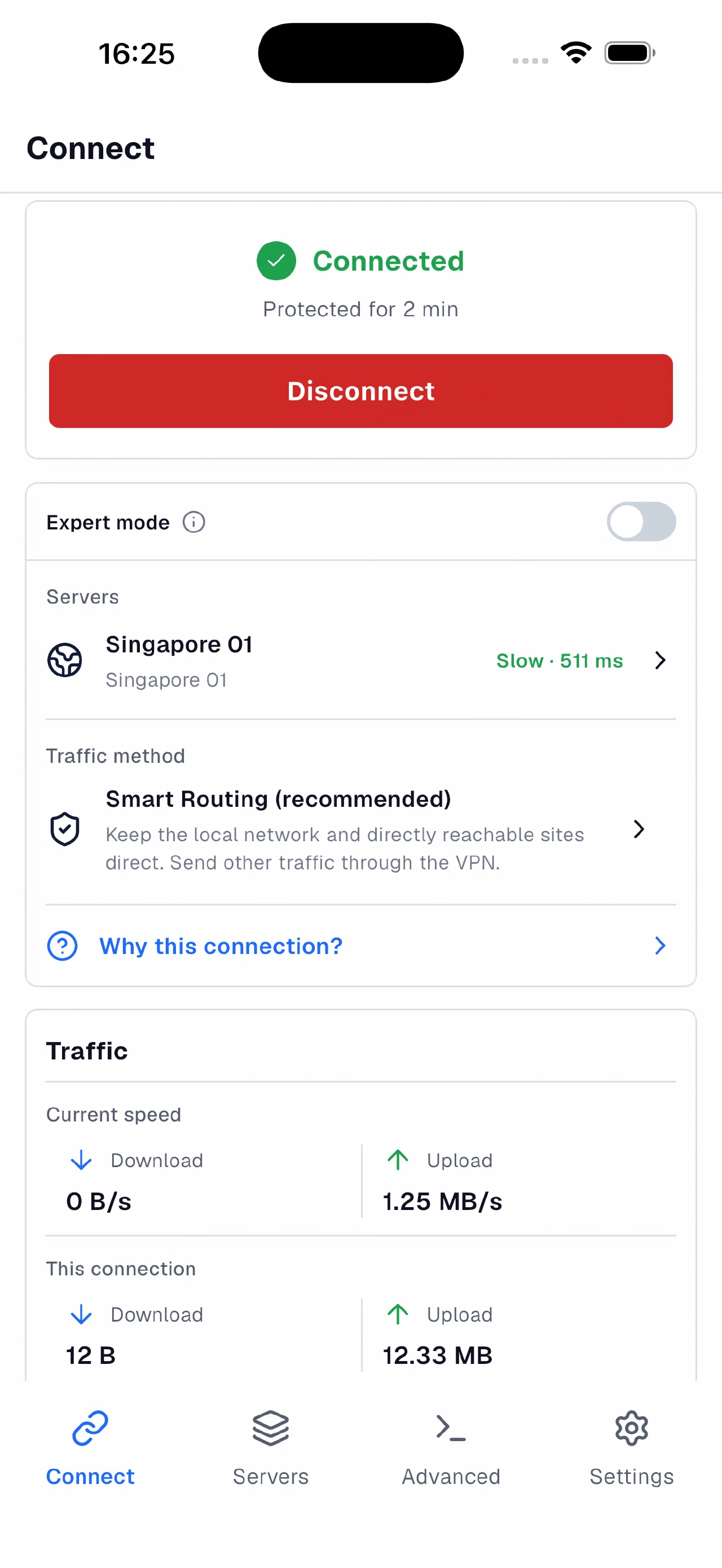
Server selection and current-connection traffic.
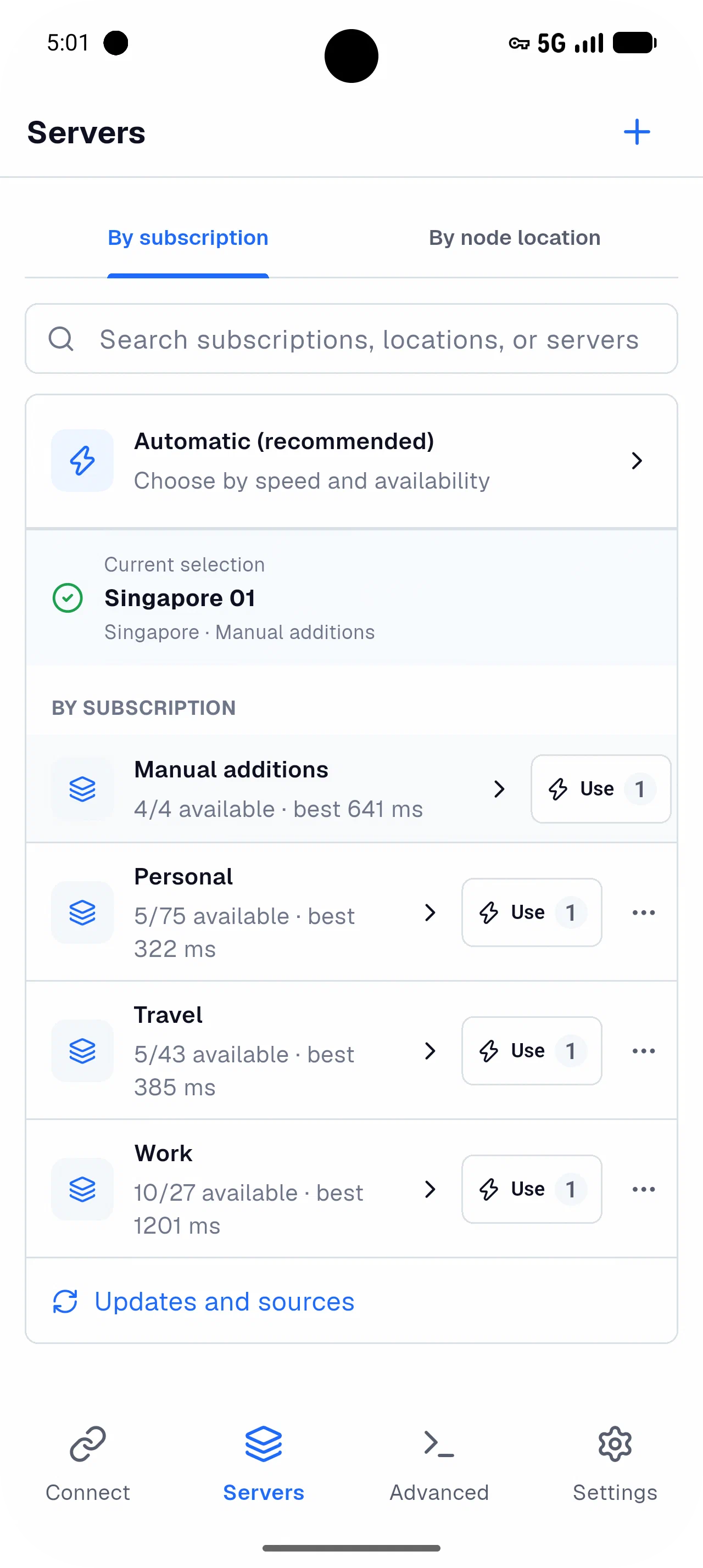
Subscriptions, node locations, latency, and protocol labels.
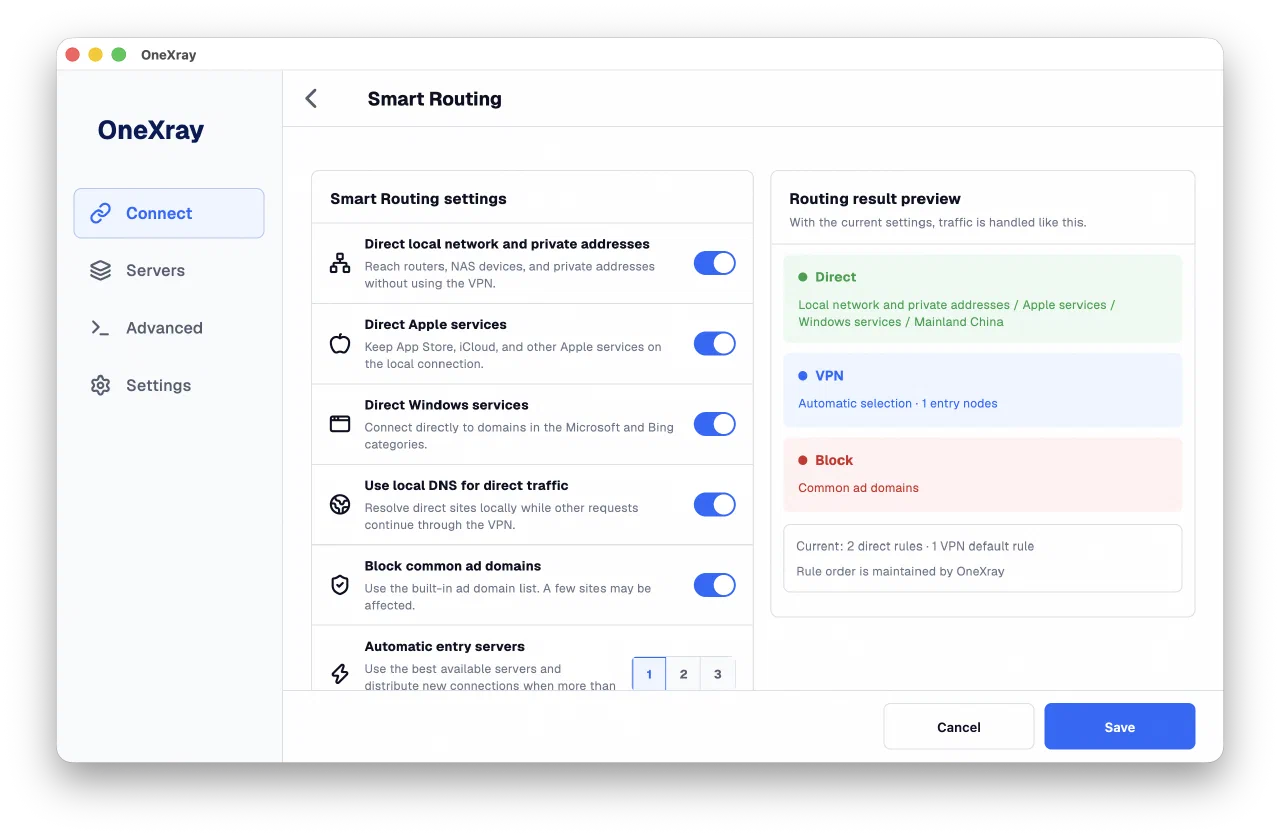
Clear direct-traffic choices and a preview of the resulting rules.
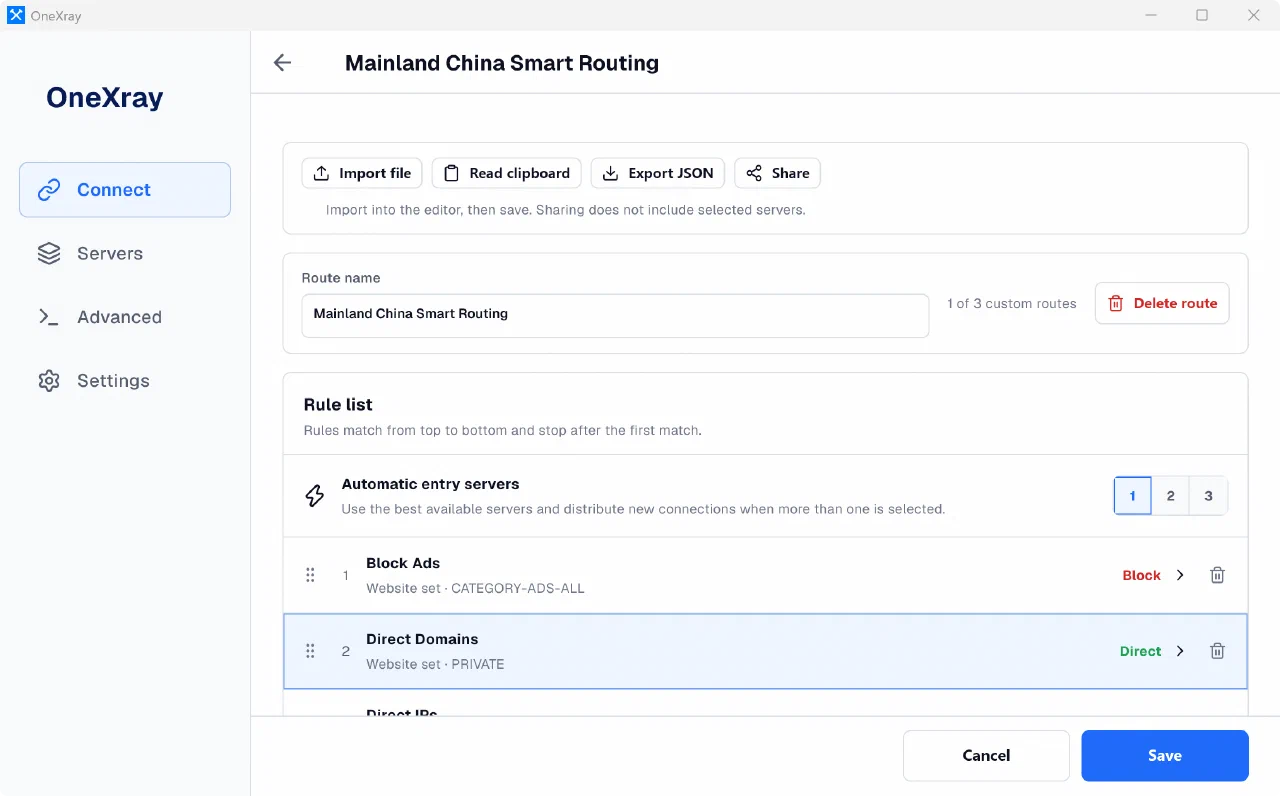
Ordered rules, entry-node count, and independent import and sharing.
Choose your device.
OneXray is a client only. It does not provide VPN access, servers, or subscriptions. Bring a compatible configuration from a source you trust.
No account. No ads. No analytics.
Your configuration stays on your device unless you share it. Servers, DNS, subscriptions, updates, and connectivity tests make the network requests needed for their functions.